---
title: Generating OpenAPI Specification with Ent
author: MasseElch
authorURL: "https://github.com/masseelch"
authorImageURL: "https://avatars.githubusercontent.com/u/12862103?v=4"
---
In a [previous blogpost](https://entgo.io/blog/2021/07/29/generate-a-fully-working-go-crud-http-api-with-ent), we
presented to you [`elk`](https://github.com/masseelch/elk) - an [extension](https://entgo.io/docs/extensions) to Ent
enabling you to generate a fully-working Go CRUD HTTP API from your schema. In the today's post I'd like to introduce to
you a shiny new feature that recently made it into `elk`:
a fully compliant [OpenAPI Specification (OAS)](https://swagger.io/resources/open-api/) generator.
OAS (formerly known as Swagger Specification) is a technical specification defining a standard, language-agnostic
interface description for REST APIs. This allows both humans and automated tools to understand the described service
without the actual source code or additional documentation. Combined with the [Swagger Tooling](https://swagger.io/) you
can generate both server and client boilerplate code for more than 20 languages, just by passing in the OAS file.
### Getting Started
The first step is to add the `elk` package to your project:
```shell
go install github.com/masseelch/elk
```
`elk` uses the Ent [Extension API](https://entgo.io/docs/extensions) to integrate with Ent’s code-generation. This
requires that we use the `entc` (ent codegen) package as
described [here](https://entgo.io/docs/code-gen#use-entc-as-a-package) to generate code for our project. Follow the next
two steps to enable it and to configure Ent to work with the `elk` extension:
1\. Create a new Go file named `ent/entc.go` and paste the following content:
```go
// +build ignore
package main
import (
"log"
"entgo.io/ent/entc"
"entgo.io/ent/entc/gen"
"github.com/masseelch/elk"
)
func main() {
ex, err := elk.NewExtension(
elk.GenerateSpec("openapi.json"),
)
if err != nil {
log.Fatalf("creating elk extension: %v", err)
}
err = entc.Generate("./schema", &gen.Config{}, entc.Extensions(ex))
if err != nil {
log.Fatalf("running ent codegen: %v", err)
}
}
```
2\. Edit the `ent/generate.go` file to execute the `ent/entc.go` file:
```go
package ent
//go:generate go run -mod=mod entc.go
```
With these steps complete, all is set up for generating an OAS file from your schema! If you are new to Ent and want to
learn more about it, how to connect to different types of databases, run migrations or work with entities, then head
over to the [Setup Tutorial](https://entgo.io/docs/tutorial-setup/).
### Generate an OAS file
The first step on our way to the OAS file is to create an Ent schema graph:
```shell
go run -mod=mod entgo.io/ent/cmd/ent init Fridge Compartment Item
```
To demonstrate `elk`'s OAS generation capabilities, we will build together an example application. Suppose I have
multiple fridges with multiple compartments, and my significant-other and I want to know its contents at all times. To
supply ourselves with this incredibly useful information we will create a Go server with a RESTful API. To ease the
creation of client applications that can communicate with our server, we will create an OpenAPI Specification file
describing its API. Once we have that, we can build a frontend to manage fridges and contents in a language of our
choice by using the Swagger Codegen! You can find an example that uses docker to generate a
client [here](https://github.com/masseelch/elk/blob/master/internal/openapi/ent/generate.go).
Let's create our schema:
```go title="ent/fridge.go"
package schema
import (
"entgo.io/ent"
"entgo.io/ent/schema/edge"
"entgo.io/ent/schema/field"
)
// Fridge holds the schema definition for the Fridge entity.
type Fridge struct {
ent.Schema
}
// Fields of the Fridge.
func (Fridge) Fields() []ent.Field {
return []ent.Field{
field.String("title"),
}
}
// Edges of the Fridge.
func (Fridge) Edges() []ent.Edge {
return []ent.Edge{
edge.To("compartments", Compartment.Type),
}
}
```
```go title="ent/compartment.go"
package schema
import (
"entgo.io/ent"
"entgo.io/ent/schema/edge"
"entgo.io/ent/schema/field"
)
// Compartment holds the schema definition for the Compartment entity.
type Compartment struct {
ent.Schema
}
// Fields of the Compartment.
func (Compartment) Fields() []ent.Field {
return []ent.Field{
field.String("name"),
}
}
// Edges of the Compartment.
func (Compartment) Edges() []ent.Edge {
return []ent.Edge{
edge.From("fridge", Fridge.Type).
Ref("compartments").
Unique(),
edge.To("contents", Item.Type),
}
}
```
```go title="ent/item.go"
package schema
import (
"entgo.io/ent"
"entgo.io/ent/schema/edge"
"entgo.io/ent/schema/field"
)
// Item holds the schema definition for the Item entity.
type Item struct {
ent.Schema
}
// Fields of the Item.
func (Item) Fields() []ent.Field {
return []ent.Field{
field.String("name"),
}
}
// Edges of the Item.
func (Item) Edges() []ent.Edge {
return []ent.Edge{
edge.From("compartment", Compartment.Type).
Ref("contents").
Unique(),
}
}
```
Now, let's generate the Ent code and the OAS file.
```shell
go generate ./...
```
In addition to the files Ent normally generates, another file named `openapi.json` has been created. Copy its contents
and paste them into the [Swagger Editor](https://editor.swagger.io/). You should see three groups: **Compartment**, **
Item** and **Fridge**.
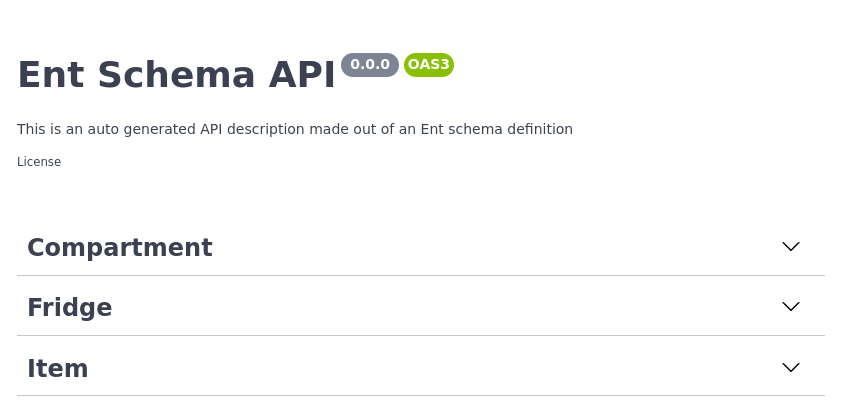
Swagger Editor Example
If you happen to open up the POST operation tab in the Fridge group, you see a description of
the expected request data and all the possible responses. Great!

POST operation on Fridge
### Basic Configuration
The description of our API does not yet reflect what it does, let's change that! `elk` provides easy-to-use
configuration builders to manipulate the generated OAS file. Open up `ent/entc.go` and pass in the updated title and
description of our Fridge API:
```go title="ent/entc.go"
//go:build ignore
// +build ignore
package main
import (
"log"
"entgo.io/ent/entc"
"entgo.io/ent/entc/gen"
"github.com/masseelch/elk"
)
func main() {
ex, err := elk.NewExtension(
elk.GenerateSpec(
"openapi.json",
// It is a Content-Management-System ...
elk.SpecTitle("Fridge CMS"),
// You can use CommonMark syntax (https://commonmark.org/).
elk.SpecDescription("API to manage fridges and their cooled contents. **ICY!**"),
elk.SpecVersion("0.0.1"),
),
)
if err != nil {
log.Fatalf("creating elk extension: %v", err)
}
err = entc.Generate("./schema", &gen.Config{}, entc.Extensions(ex))
if err != nil {
log.Fatalf("running ent codegen: %v", err)
}
}
```
Rerunning the code generator will create an updated OAS file you can copy-paste into the Swagger Editor.
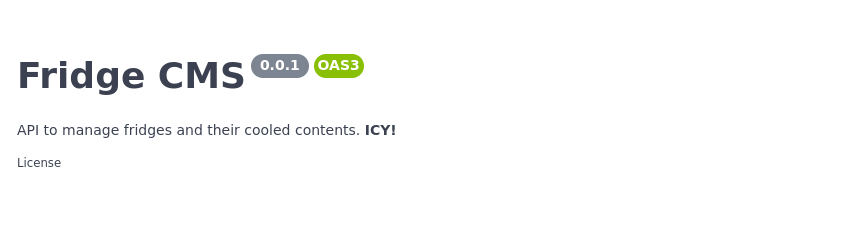
Updated API Info
### Operation configuration
We do not want to expose endpoints to delete a fridge (seriously, who would ever want that?!). Fortunately, `elk` lets
us configure what endpoints to generate and which to ignore. `elk`s default policy is to expose all routes. You can
either change this behaviour to not expose any route but those explicitly asked for, or you can just tell `elk` to
exclude the DELETE operation on the Fridge by using an `elk.SchemaAnnotation`:
```go title="ent/schema/fridge.go"
// Annotations of the Fridge.
func (Fridge) Annotations() []schema.Annotation {
return []schema.Annotation{
elk.DeletePolicy(elk.Exclude),
}
}
```
And voilà! the DELETE operation is gone.

DELETE operation is gone
For more information about how `elk`'s policies work and what you can do with
it, have a look at the [godoc](https://pkg.go.dev/github.com/masseelch/elk).
### Extend specification
The one thing I should be interested the most in this example is the current contents of a fridge. You can customize the
generated OAS to any extend you like by using [Hooks](https://pkg.go.dev/github.com/masseelch/elk#Hook). However, this
would exceed the scope of this post. An example of how to add an endpoint `fridges/{id}/contents` to the generated OAS
file can be found [here](https://github.com/masseelch/elk/tree/master/internal/fridge/ent/entc.go).
### Generating an OAS-implementing server
I promised you in the beginning we'd create a server behaving as described in the OAS. `elk` makes this easy, all you
have to do is call `elk.GenerateHandlers()` when you configure the extension:
```diff title="ent/entc.go"
[...]
func main() {
ex, err := elk.NewExtension(
elk.GenerateSpec(
[...]
),
+ elk.GenerateHandlers(),
)
[...]
}
```
Next, re-run code generation:
```shell
go generate ./...
```
Observe, that a new directory named `ent/http` was created.
```shell
» tree ent/http
ent/http
├── create.go
├── delete.go
├── easyjson.go
├── handler.go
├── list.go
├── read.go
├── relations.go
├── request.go
├── response.go
└── update.go
0 directories, 10 files
```
You can spin-up the generated server with this very simple `main.go`:
```go
package main
import (
"context"
"log"
"net/http"
"/ent"
elk "/ent/http"
_ "github.com/mattn/go-sqlite3"
"go.uber.org/zap"
)
func main() {
// Create the ent client.
c, err := ent.Open("sqlite3", "file:ent?mode=memory&cache=shared&_fk=1")
if err != nil {
log.Fatalf("failed opening connection to sqlite: %v", err)
}
defer c.Close()
// Run the auto migration tool.
if err := c.Schema.Create(context.Background()); err != nil {
log.Fatalf("failed creating schema resources: %v", err)
}
// Start listen to incoming requests.
if err := http.ListenAndServe(":8080", elk.NewHandler(c, zap.NewExample())); err != nil {
log.Fatal(err)
}
}
```
```shell
go run -mod=mod main.go
```
Our Fridge API server is up and running. With the generated OAS file and the Swagger Tooling you can now generate a client stub
in any supported language and forget about writing a RESTful client ever _ever_ again.
### Wrapping Up
In this post we introduced a new feature of `elk` - automatic OpenAPI Specification generation. This feature connects
between Ent's code-generation capabilities and OpenAPI/Swagger's rich tooling ecosystem.
Have questions? Need help with getting started? Feel free to [join our Slack channel](https://entgo.io/docs/slack/).
:::note For more Ent news and updates:
- Subscribe to our [Newsletter](https://www.getrevue.co/profile/ent)
- Follow us on [Twitter](https://twitter.com/entgo_io)
- Join us on #ent on the [Gophers Slack](https://entgo.io/docs/slack)
:::